Shoppers

5 Hidden Problems with Your Office Chair That Cause Back Pain

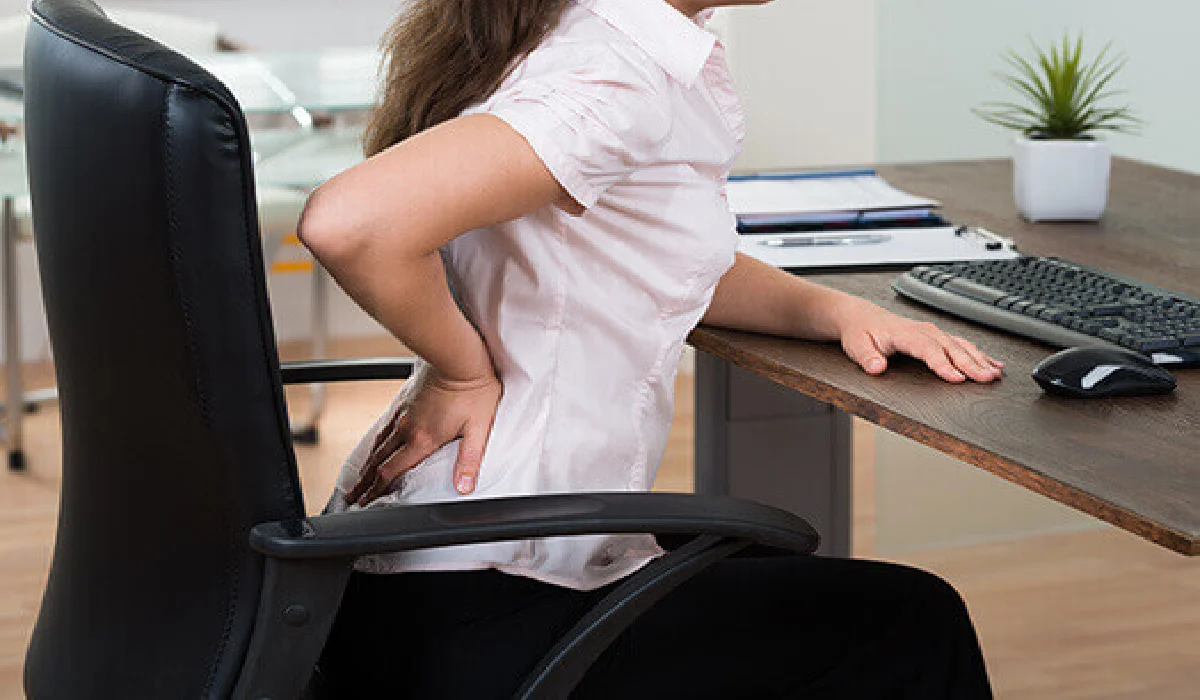
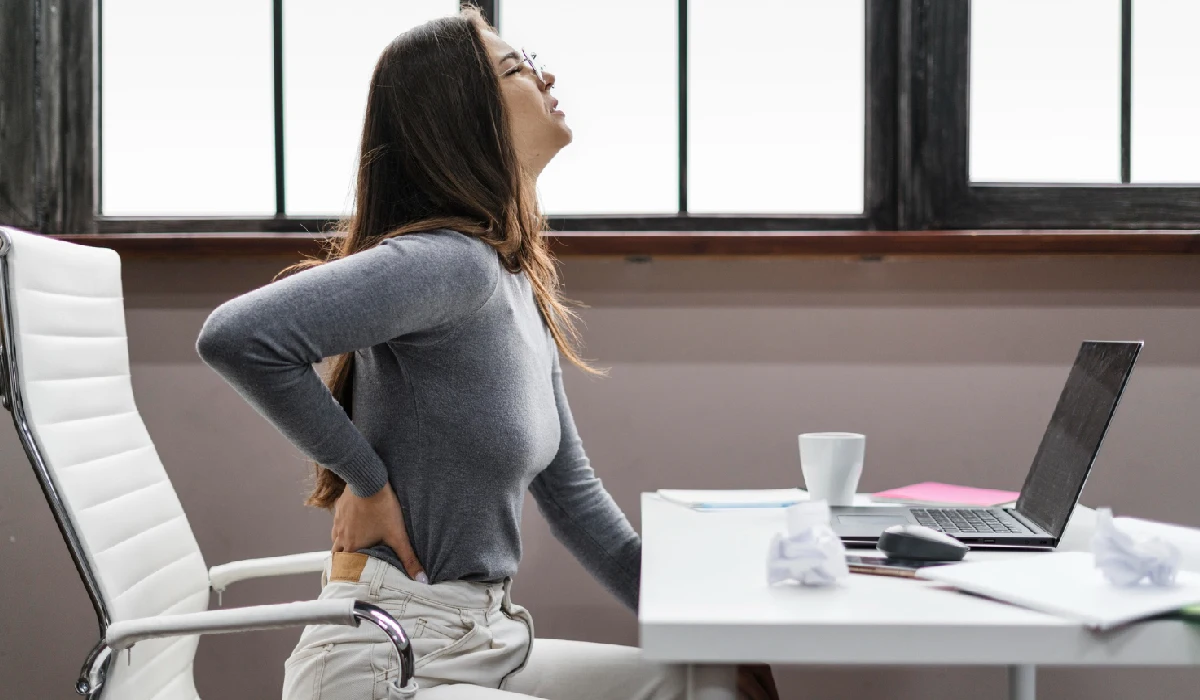
If you are always uncomfortable at your desk, it could be your office chair that is to blame. A lot of professionals think their back pain is caused by working long hours, but the truth is that back pain from office chairs is often caused by small design and posture problems that people don’t even notice. These small issues become big ones over time, causing stress, bad alignment, and less work to be done.

The problems with your office chair that you might not be aware of could be hurting your back. Let’s talk about what you can do about them.

Key Insights

  • Office chair back pain is often caused by hidden issues like poor lumbar support, incorrect height, and lack of upper back support.
  • Bad armrest positioning and long sitting hours worsen posture and lead to chronic discomfort.
  • Most office chair problems come from poor ergonomics, not just long working hours.
  • Simple fixes like adjusting seat height, improving posture, and taking breaks can reduce pain significantly.
  • Choosing the right ergonomic chair with proper support is key to preventing long-term back issues.
  • A well-designed ergonomic workspace setup improves comfort, productivity, and spinal health.

Common Problems with Your Office Chair That Can Cause Backpain

Let us take a look at some of the common problems with office chairs that can lead to back pain with time:

1. Poor Lumbar Support Is Slowly Damaging Your Spine

One of the biggest causes of lower back pain office work is inadequate lumbar support. Your spine has a natural inward curve, and when your chair doesn’t support it properly, your lower back collapses into a slouched position.

This creates pressure on spinal discs and leads to office chair back support issues over time. Many chairs either lack lumbar support completely or have poorly positioned support that doesn’t align with your spine.

If you often feel stiffness in your lower back after sitting, your chair is likely failing you here. Choosing an Office chair for lower-back pain can significantly improve spinal alignment and reduce long-term strain.

2. Incorrect Seat Height Disrupts Your Posture

Your chair height directly impacts your posture. When it’s too high, your feet dangle, increasing pressure on your thighs. When it’s too low, your knees rise above your hips, tilting your pelvis unnaturally.

Both scenarios lead to sitting posture problems and eventually cause desk chair back pain causes like muscle fatigue and spinal compression.

To fix this, ensure:

  • Your feet are flat on the ground
  • Knees are at a 90-degree angle
  • Hips are slightly higher than knees

These small adjustments are crucial for maintaining proper workstation ergonomics and avoiding chronic pain.

3. Lack of Upper Back and Neck Support

Most people focus only on lumbar support, but neglecting the upper back can lead to upper back pain from office chair usage. Chairs without adequate backrest height or head support force your shoulders to hunch forward.

One of the most common problems with ergonomic office chairs is that they make your neck and upper spine tense.

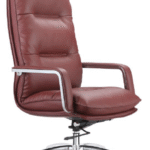
If you spend long hours working, consider switching to an executive high-back leather chair or comparing options like high-back chair vs medium-back chair to ensure proper support for your entire spine.

4. Armrests That Work Against You

Improper armrest positioning is a hidden but major contributor to poor office chair ergonomics. If your armrests are too high, your shoulders elevate unnaturally. If they’re too low, your arms hang and strain your upper back.

This imbalance leads to bad posture office chair habits and long-term discomfort.

Ideally, your armrests should:

  • Keep your elbows at a 90-degree angle
  • Allow your shoulders to relax naturally
  • Align with your desk height

Ignoring this can worsen back pain from sitting long hours and even lead to repetitive strain injuries.

5. Sitting Too Long Without Movement

Even the best ergonomic chair cannot protect you from the effects of prolonged sitting. Staying in one position for hours leads to reduced blood flow, muscle stiffness, and ergonomic seating problems.

This is why sitting all day causes back pain at work, is a growing concern among professionals.

To prevent this:

  • Take short breaks every 30–45 minutes
  • Stretch or walk around
  • Practice healthy sitting habits

Combining movement with the right chair setup is key to effective back pain relief at desk.

How to Fix These Office Chair Problems?

Improving your setup doesn’t always require a complete overhaul. In many cases, small and practical changes can make a significant difference in reducing office chair back pain and improving your overall comfort at work.

  • Start by choosing the right type of chair for your needs. Exploring Different Types of Office Chairs can help you understand what suits your body and work style best. For instance, a MID BACK ERGONOMIC CHAIR is ideal for moderate sitting hours, while a high-back chair provides better support for your neck, shoulders, and spine. Selecting the right chair can instantly improve your posture and reduce strain.
  • Next, focus on ergonomic design. A well-designed chair should support your natural posture and allow adjustments based on your body. Look for features like adjustable lumbar support, seat height customization, and a flexible backrest. These elements play a key role in preventing long-term office chair problems and maintaining proper alignment throughout the day.
  • Material is another important factor that often gets overlooked. The choice between mesh and leather can impact your comfort, especially during long working hours. Mesh chairs offer better airflow and are more breathable, while leather chairs provide a firm, premium feel. Understanding the differences in Mesh vs Leather Office Chair options can help you make a more informed decision.
  • If you spend extended hours at your desk, upgrading your chair becomes essential. Investing in one of the best office chairs for long hours ensures better cushioning, improved adjustability, and proper back support. This not only enhances comfort but also helps prevent sitting long hours back pain and other posture-related issues.
  • Finally, make sure you buy from a reliable source that offers quality and durability. Exploring options like Buy Office Chair in Kigali, Rwanda, can help you find ergonomic solutions designed for modern workspaces. Buying a good chair isn’t just a purchase; it’s an investment in your health and productivity in the long run.

Frequently Asked Question

1. What are 5 red flags of low back pain?

Persistent pain lasting more than a few weeks, numbness or tingling, pain radiating down the legs, difficulty standing or walking, and loss of bladder or bowel control are major warning signs. These may indicate underlying conditions and require medical attention.

2. What is the most unhealthy sitting position?

Slouching forward with rounded shoulders and no back support is the worst position. It puts maximum strain on the spine and leads to long-term posture and alignment issues.

3. Which sitting position is best for the spine?

The ideal position keeps your back straight, shoulders relaxed, feet flat on the ground, and knees at hip level. Proper lumbar support for office chair use is essential to maintain this posture.

4. What are the big 3 for lower back pain?

The “Big 3” exercises often recommended are curl-ups, side planks, and bird dogs. These strengthen the core and stabilize the spine, helping reduce pain over time.

5. What vitamin deficiency causes back pain?

Vitamin D deficiency is commonly linked to back pain, as it affects bone strength and muscle function.

6. How many hours a day should you be sitting?

Ideally, you should limit sitting to 6–8 hours a day and take breaks every 30–45 minutes to reduce strain and improve circulation.

Conclusion

When you have back pain, it’s not always about how long you sit. It’s about how you sit. Office chair back pain can often be traced to overlooked issues like inadequate lumbar support, incorrect seat height, poor upper back support, and improperly positioned armrests.

By addressing these hidden problems and following proper office chair adjustment tips, you can significantly improve your comfort, posture, and overall productivity. Choosing the right chair and setting up your workspace correctly isn’t just about immediate comfort—it’s a long-term investment in your health. With quality options available at Shoppers Stop, creating an ergonomic and supportive workspace has never been easier.

What Is the Best Office Chair to Sit in with Lower Back Pain?

Lower back pain has become one of the most common problems among professionals today, especially for those who spend long hours sitting at a desk. Whether you are working from home or in an office, your chair plays a crucial role in determining how your spine feels at the end of the day.

Choosing the right Office Chair for Lower Back Pain is crucial. The right chair supports your spine, improves posture, and reduces long-term strain, plus provides comfort.

In this guide, we will explain what makes a chair good for back pain, the different types of office chairs, and how to choose the best one.

Key Insights

  • Proper lumbar support is the most important feature in any chair designed for lower back pain.
  • Adjustable chairs help align your spine, reducing unnecessary pressure.
  • Ergonomic chairs are specifically designed for posture and long sitting hours.
  • Sitting posture plays a major role in preventing and managing back pain.
  • Even the best chair needs to be paired with regular movement and breaks.
  • Choosing the right chair can significantly improve comfort, productivity, and spinal health.

Why Your Chair Matters for Lower Back Pain?

The human spine is naturally designed with gentle curves that help distribute body weight and absorb stress. When you sit for long hours, especially on a bad chair, these natural curves flatten. 

A chair without proper support forces your body into unhealthy positions. You might start slouching, leaning forward, or sitting unevenly without even realising it. 

This is why buying the right ergonomic chair for back pain is about prevention, not just comfort. A comfortable chair supports your spine’s natural curve, aligns your posture, and reduces lower back stress from long sitting.

Your chair directly affects your spine when you sit. An office chair with lower back support helps maintain proper alignment, reduces strain, and keeps your body in a healthier position during long work sessions.

What Makes the Best Office Chair for Lower Back Pain?

Here is what makes the best office chair for lower back pain:

Lumbar Support (Most Important):

A good lumbar support chair maintains the natural inward curve of your lower spine. Without it, your back tends to flatten, increasing pressure on spinal discs. Adjustable lumbar support is ideal, as it allows you to customize the fit.

Adjustability (Height, Tilt, Armrests):

Office Chairs for Pain Relief should adapt to your body. Seat height should allow your feet to rest flat on the floor, while tilt and recline functions reduce spinal pressure. Adjustable armrests help prevent shoulder and upper back strain.

Seat Depth and Width:

The seat should support your thighs without pressing against the back of your knees. Proper seat depth ensures even weight distribution and prevents unnecessary stress on the lower back.

Seat Cushioning and Comfort:

A chair should be neither too soft nor too firm. Excessively soft seats lack support, while tough seats create pressure points. Balanced cushioning helps maintain comfort during long sitting hours.

Backrest Design and Support:

A high-quality backrest supports the entire spine, not just the lower back. Reclining functionality allows dynamic sitting, which reduces stiffness and promotes better posture.

Material and Breathability:

Mesh chairs offer better airflow and are ideal for long working hours, especially in warmer environments. Cushioned fabric or leather provides a softer feel but should still maintain proper support.

Stability and Build Quality:

A sturdy frame and durable base ensure long-term use  without compromising posture. A poorly built chair can lose support over time, leading to discomfort.

Types of Good Office Chairs for Back Pain

Here are some of the common types of good office chairs for back pain:

Ergonomic Chairs:

These are the most recommended good office chairs for back pain because they are specifically designed to support posture. They come with adjustable lumbar support, seat height, armrests, and backrest tilt. If you’re looking for office chairs for long hours, ergonomic chairs are the safest and most reliable choice.

Mesh Chairs:

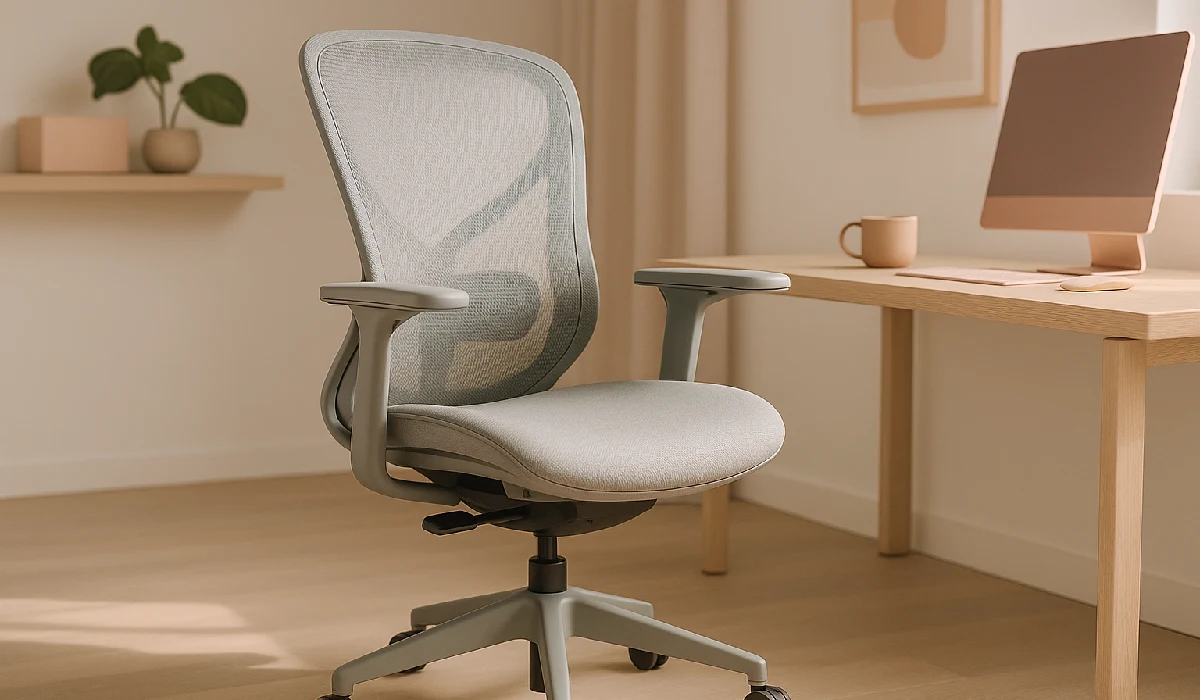
Mesh chairs are known for their breathability and comfort during extended sitting periods. The flexible mesh back adapts to your spine and often includes built-in lumbar support. They are ideal for people who want a lightweight and comfortable office chair for lower back support.

Executive Chairs:

Executive chairs offer plush cushioning and a premium feel. While they are comfortable, not all of them provide proper ergonomic support. If choosing this type, make sure it includes adequate lumbar support and adjustability to function as a comfortable chair for back pain.

Kneeling Chairs:

Kneeling chairs encourage an open hip angle and a more upright posture, which can reduce pressure on the lower back. However, they may not be suitable for long hours initially and are better used as a secondary seating option.

Saddle Chairs:

Saddle chairs position your body similarly to sitting on a horse, promoting a natural spine alignment. They help reduce slouching and improve posture but may require some time to get used to.

How to Choose the Best Chair for Lower Back Pain?

Here is how you can choose the best chair for lower back pain:

Consider Your Daily Sitting Hours:

If you sit for 6–8 hours, a standard ergonomic chair with basic lumbar support may be enough. For 8+ hours, invest in a premium Office Chair For Long Hours with advanced adjustability and better cushioning to reduce fatigue.

Check Lumbar Support First:

The chair should support the natural curve of your lower back. An adjustable lumbar feature is ideal because it allows you to align the support exactly where your spine needs it.

Ensure Proper Adjustability:

A good office chair for lower back pain should allow you to adjust seat height, backrest tilt, and armrests. This helps you maintain proper posture, with feet flat on the floor and knees at a 90-degree angle.

Match the Chair to Your Body Type:

Seat depth, width, and backrest height should suit your body. A chair that is too deep or too shallow can create pressure points and reduce support.

Evaluate Seat Comfort and Material:

Choose cushioning that supports your weight without sinking too much. Breathable materials like mesh are ideal for long hours, while cushioned seats provide a softer feel.

Check Desk Compatibility:

Your chair should align well with your desk height and workspace setup. Poor alignment can lead to awkward posture, even if the chair itself is ergonomic.

Look at Build Quality and Durability:

A well-built chair maintains its structure and support over time. Investing in quality ensures consistent back support and long-term comfort.

Test Before Buying (If Possible):

Sitting in the chair before purchasing helps you understand how it supports your back. Comfort and fit can vary from person to person.

Frequently Asked Questions

Which is the best office chair for back pain?

The best option is an ergonomic chair with adjustable lumbar support, seat height, and backrest tilt to maintain proper spinal alignment.

Which chair is best for long sitting hours?

An Office Chair For Long Hours with breathable material, strong lumbar support, and multiple adjustment features is ideal for extended use.

Can an office chair fix back pain?

An office chair can reduce discomfort and improve posture, but it should be combined with regular movement, stretching, and proper ergonomics.

How to pick a good office chair?

Focus on lumbar support, adjustability, seat comfort, and compatibility with your desk setup.

What are five red flags for low back pain?

Persistent pain, numbness, weakness in the legs, difficulty standing or walking, and discomfort after an injury are key warning signs.

What are the three big ones for lower back pain?

The “big 3” exercises include planks, bird dogs, and curl-ups, which help strengthen the core and support the spine.

What vitamin deficiency causes back pain?

Vitamin D deficiency is commonly linked to lower back pain and bone-related discomfort.

Final Thoughts

You can buy office chair in Kigali, Rwanda, that will help alleviate lower back pain, protect your spine, and improve your quality of life, not just your comfort. The best place to look for such office chairs is Shoppers Stop where you will get a wide variety of options and that too at a good price. A well-designed chair supports your posture, reduces strain on your lower back, and helps you stay productive during long working hours.

However, it’s important to remember that no chair alone can eliminate back pain. The best results arise from combining the right chair, proper sitting posture, and regular movement throughout the day.

If you invest in a chair with good lumbar support, proper adjustability, and long-hour comfort, you are taking a proactive step toward better spinal health. Over time, this small change can make a significant difference in how your body feels during and after work.

Mesh vs Leather Office: How to Choose the Best Office Chair for Long Working Hours?

Choosing between Mesh vs Leather Office Chairs can feel overwhelming, especially when comfort, productivity, and style are all on the line. Finding the right chair material is important whether you’re decorating a corporate workspace, home office, or executive cabin. 

The material affects posture, airflow, durability, and overall work performance, especially when choosing office chairs that will be used for long periods of time every day.

Before comparing materials, it’s important to understand the different types of office chairs available in the market. 

From task chairs and executive models to ergonomic and gaming chairs, each type serves a different purpose depending on posture needs, working hours, and office setup.

What Is a Mesh Chair?

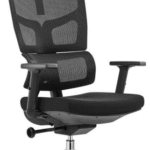
A mesh chair has a woven mesh fabric on the backrest and sometimes the seat. This fabric is meant to let air flow and be flexible. Because it lets air flow through and adjusts to your body, a mesh back office chair or ergonomic mesh office chair is very popular in modern offices. If you are planning to buy a medium back chair in Rwanda check out the official site of Shoppers Stop

Common types include

  • High back mesh office chair
  • Black mesh office chair
  • Mesh office chair with headrest
  • Ergo mesh office chair
  • Mesh computer chair

Pros of Mesh Chair

  • Excellent Breathability: Ideal for warm climates, mesh is among the best breathable office Ergonomic Chairs.
  • Ergonomic Flexibility: An ergonomic mesh chair adapts naturally to your back.
  • Lightweight & Modern Design: Fits contemporary offices.
  • Low Maintenance: Easy to clean compared to leather.

Cons of Mesh Chair

  • Cushioning may feel firmer than leather.
  • Mesh can sag over time if low quality.
  • May lack the premium executive appeal of leather.

What Is a Leather Office Chair?

A leather office desk chair is typically upholstered in genuine or synthetic leather, offering a smooth, cushioned surface. A leather executive chair or executive leather office chair is commonly found in leadership offices.

Popular options include:

  • Brown leather office chair
  • Black leather office chair
  • Brown leather desk chair
  • Black leather desk chair
  • Modern leather office chair
  • Luxury executive office chair
  • High-back executive office chair

Pros of Leather Office Chair

  • Premium Appearance: Enhances professional image.
  • Superior Cushioning: Comfortable for long sessions.
  • Durability: High-quality leather executive office chair high back models last years.
  • Authority & Style: Common in boardrooms and CEO offices.

Cons of Leather Office Chair

  • Less breathable in hot environments.
  • Requires regular maintenance.
  • Generally heavier and more expensive.

Mesh Chair vs Leather Office Chair: See the Differences

When evaluating the Best office chairs for long hours, both mesh and leather have their strengths. The ideal choice depends on climate, body support needs, and workplace aesthetics.

Let us take a look at the differences between mesh chair and leather office chair:

Feature Mesh Chair Leather Office Chair
Airflow Excellent Limited
Comfort Firm, supportive Plush, cushioned
Aesthetics Modern Executive & classic
Maintenance Easy Needs conditioning
Best For Tech setups, long sitting Executive cabins

What Is the Most Comfortable Chair Material?

Comfort depends on personal preference:

  • Mesh is ideal for airflow and posture support.
  • Leather offers plush cushioning and a luxurious feel.

For younger professionals exploring Ergonomic Chairs for Gen Z, breathable mesh models with adjustable lumbar support are becoming increasingly popular in modern workspaces and hybrid setups.

When choosing between materials, you should also consider High Back Chair Vs. Medium Back Chair options. High-back chairs provide full spinal and neck support, making them ideal for long working hours and executive settings. Medium-back chairs are more compact and suitable for collaborative spaces or moderate sitting durations. 

Frequently Asked Questions

Mesh vs leather office chairs: Which is better for work?

Mesh is better for hot climates and long sitting hours, while leather is ideal for executive environments and plush comfort.

What is the best material for office chair seats?

High-density foam with breathable mesh or high-quality leather offers the best balance of comfort and durability.

What is the most comfortable chair material?

Leather feels softer and more cushioned, while mesh provides better airflow and ergonomic support.

Which chair is best for long sitting in office?

An ergonomic mesh office chair with headrest or a high back executive office chair with lumbar support works best.

What office chairs do CEOs use?

Most CEOs prefer leather executive office chairs for their premium look and durability.

What is the most durable material for chairs?

High-quality genuine leather is typically more durable than mesh when properly maintained.

Conclusion

There is no clear winner in the Mesh vs. Leather Office Chairs debate. If you care about airflow, ergonomics, and a modern look, a mesh chair is the way to go. If you want a chair that will last, looks good, and has good padding, choose a leather office chair. 

When you plan to buy office chair in Rwanda or look for other options, Shoppers Stop is the best place to take a look at. You should think about how comfortable, supportive, and long-lasting the chair is.

Whether you choose mesh or leather, investing in high-quality Ergonomic Chairs ensures better posture, reduced fatigue, and improved productivity.

Work Smarter and Live Pain-Free with the Best Back Office Chairs for Pain Relief

Do you know? Long sitting hours, poor posture, and the wrong chair are silently damaging your spine every single day. 

If you feel stiffness, lower back pain, or neck strain after work, your chair is often the real culprit,  and not your workload. Choosing the right back office chair for your pain relief can dramatically improve comfort, productivity, and long-term spinal health.

According to the World Health Organization (WHO), low back pain is the leading cause of disability worldwide, affecting people of all age groups, especially those with sedentary work habits, mainly due to prolonged sitting and poor ergonomics. The good news? The right ergonomic office chair can significantly reduce pain and prevent future issues.

Let’s help you find the best office chair for back support that truly works for your body!

Key Takeaways

  • A good spine-support office chair is an investment in long-term health as ergonomic design significantly reduces back and neck strain.
  • Proper seating improves productivity and focus while adjustable features allow personalized comfort.
  • Trusted sellers like Shoppers Stop and local Office Furniture in Rwanda providers offer reliable options.

Why the Right Office Chair Matters for Pain Relief

Your spine has a natural S-shape. A poorly designed chair flattens this curve, increasing pressure on your lower back and neck. A back support office chair, on the other hand:

  • Maintains natural spinal alignment
  • Reduces pressure on discs
  • Improves posture
  • Minimizes neck and shoulder strain
  • Boosts work productivity

If you sit for 6–10 hours daily, investing in a comfortable office chair for back pain is no longer optional – it’s essential.

Key Features to Look for in a Back Office Chair for Your Pain Relief

True Ergonomic Design for Natural Posture

An ergonomic office chair is specifically designed to support your spine’s natural curve and reduce pressure on key pain points. It allows your body to sit in a neutral position, preventing slouching and forward neck posture.

Why it Matters:

  • Keeps your spine aligned
  • Reduces lower back and shoulder tension
  • Prevents posture-related fatigue
  • Best Option for Office chair for back pain and work productivity

Adjustable Lumbar Support for Spine Protection

Your lower back carries most of your upper body weight. A high-quality office chair for spine support includes adjustable lumbar support that fits snugly into the curve of your lower back.

Benefits of an Adjustable Chair

  • Reduces pressure on spinal discs
  • Prevents stiffness and muscle strain
  • Offers relief for chronic lower back pain

Multiple Adjustment Options for Personalized Comfort

A one-size-fits-all chair rarely works. An adjustable office chair for back pain lets you customize the chair based on your height, desk level, and posture habits. Look for adjustable Seat height, Backrest recline, Armrest height and width, Headrest position. 

Medium- firm Seat Cushion for Balanced Support

Many people believe softer chairs are better, but excessive softness causes the hips to sink, straining the spine. The most comfortable office chair offers medium-firm cushioning that evenly distributes body weight.

Advantages of this chair include:

  • Prevents pressure points
  • Maintains healthy sitting posture
  • Ideal for long sitting hours

Neck and Head Support to Reduce Tension

An office chair for neck and back pain should include a contoured headrest that supports the cervical spine. This prevents forward head posture, which is a common cause of headaches and neck stiffness. This is best for Desk Jobs, Computer-based work, and long virtual meetings.

Best Types of Office Chairs for Back Pain Relief

If you’re exploring Different Types of Office Chairs, here’s what works best for pain relief:

High-Back Ergonomic Chair

  • Full spine and neck support
  • Ideal for chronic pain sufferers
  • Excellent for long work hours

Mesh Back Support Chair

  • Breathable and supportive
  • Maintains posture naturally
  • Popular choice in modern offices

Executive Office Chair

  • Extra padding and premium support
  • Combines comfort with aesthetics

Orthopedic Office Chair

  • Designed specifically for medical-grade back support
  • Best office chair for chronic back pain relief

Why it is Important to Buy from Trusted Brands

When it comes to quality and reliability, many leading suppliers such as Shoppers Stop, are gaining popularity for offering comfortable, stylish, and ergonomic seating solutions. Many professionals trust office chairs for their balance of comfort, durability, and modern design.

You don’t need to overspend to protect your spine. We now offer budget-friendly ergonomic chairs with premium features like lumbar support, adjustable armrests, and breathable mesh.

Frequently Asked Questions

What is the most comfortable office chair for back pain?

An ergonomic chair with adjustable lumbar support, medium-firm cushioning, and neck support offers the highest comfort.

What is the best seating for back pain?

A chair that maintains natural spinal alignment and allows posture adjustments is best for back pain.

Which chair is best for long sitting and back pain?

Office chairs for long hours with ergonomic design and recline features work best.

Is a hard or soft chair better for back pain?

Neither extreme is ideal. Medium-firm cushioning supports posture without pressure points.

What furniture is best for back pain?

Ergonomic chairs, height-adjustable desks, and footrests together create a back-friendly workspace.

Final Thought

Your back carries you through every success, every goal, and every long working hour, so it deserves proper care. Investing in the best back office chair for your pain relief is not a luxury, it’s a necessity for your health, comfort, and productivity. The right ergonomic office chair can reduce chronic pain, improve posture, and help you work longer without discomfort.

If you’re shopping locally, you can Buy Office Chair online in Kigali and explore a wide range of ergonomic seating solutions under trusted Office Furniture in Rwanda collections.

Sit Right, Work Better: The Ultimate Ergonomic Chairs for Gen Z

Gen Z has officially entered the workplace and they’re already rewriting the rules! From flexible hours to hybrid workspaces and aesthetic desks, comfort and wellness matter more than ever. Sitting for 8–10 hours a day on an uncomfortable chair? That’s a hard no. This is exactly why ergonomic chairs for Gen Z have become one of the most talked-about office essentials in modern workplaces and startup cultures. 

Whether it’s a trendy co-working space, a startup hub, or a home office setup, Gen Z wants chairs that look good, feel better, and support long work hours. Let’s break down what ergonomic chairs are popular with Gen Z employees, why they matter, and how to choose the best ergonomic chair that checks all the right boxes.

Key Takeaways

  • Ergonomics reduces MSDs and raises productivity. Workplace ergonomics programs cut injuries and improve output.
  • The global burden of musculoskeletal disorders is large, 1.71 billion people are affected worldwide. Thus, Seating matters the most in the workspace. 
  • Gen Z values workspace design and wellbeing and workplace space and comfort rank high for younger employees.

Why Ergonomic Chairs Matters to Gen Z?

Gen Z employees are digital-first, multitasking pros, but that also means long hours in front of screens. Meanwhile, OSHA reports that ergonomic improvements can reduce workplace injuries by up to 59%. That’s why Gen Z office chairs are no longer basic furniture, they’re wellness tools.

Gen Z looks for:

  • Comfort during long work hours
  • Adjustable and flexible designs
  • Modern, minimalist aesthetics
  • Chairs that support posture and prevent back pain

What Type of Ergonomic Chairs for Gen Z are Popular?

Gen Z tends to pick chairs that are adjustable, breathable, supportive, mobile, and modern. Here’s the short list they reach for (and why):

High-back ergonomic chairs – A HIGH BACK ERGONOMIC CHAIR is a top choice among Gen Z professionals who value posture and neck support. These chairs support the spine from lower back to head, making them ideal as an office chair for back pain.

Modern Ergonomic Chairs for Gen Z – Clean lines, neutral tones, and smart design dominate Gen Z preferences. These modern ergonomic chairs for Gen Z blend seamlessly with contemporary offices and home workspaces, perfect for Instagram-worthy desks.

Height adjustable office chairs with strong arm adjustability – Modern Gen Z setups such as standing desks, monitors at different heights, etc. require chairs that adapt easily. These adjustable chairs work wonders for today’s generation.

Rolling Chairs That Move with You – Flexibility matters. A best rolling office chair or office chair with wheels allows easy movement, especially in collaborative or hybrid office layouts.

Heavy-duty Yet Stylish For durability without sacrificing style, a heavy-duty office chair with reinforced frames and smooth mobility is a win—especially in fast-paced startup environments.

Ergonomic chairs for startup companies – Startups pick chairs that balance cost, design, and adjustability, many choose mid-range ergonomic models with modular adjustments. A comfortable office chair for long hours comes with breathable mesh, lumbar support, and cushioned seats. Gen Z prefers chairs that don’t punish them after a full workday.

Must-Have Ergonomic Chair Features Gen Z Looks For

If you’re wondering what to look for ergonomic chair for long hours, here’s your checklist:

  • Adjustability: seat height, seat depth, armrests, lumbar support, and recline tension.
  • Lumbar support: adjustable or dynamic lumbar offers continuous lower-back care.
  • Seat comfort & material: dense foam or mesh for long hours; breathable fabric reduces heat build-up.
  • Headrest / high back: useful for neck support during long sessions.
  • Mobility: quality casters (wheels) for your floor type, soft for hard floors, stiffer for carpet.
  • Durability rating / heavy-duty frame: look for stated weight capacity and warranty.
  • Ease of adjustment: Gen Z prefers intuitive levers and quick switches.

Best Ergonomic Chair for Gen Z Employees in Modern Offices

The chair for Gen Z employees in modern offices balances form and function. It should feel just as good during a Zoom marathon as it looks in a startup workspace. That’s why ergonomic chairs for startup companies focus on adaptability, mobility, and clean design.

Brands available through trusted retailers like Shoppers Stop now offer curated office seating that fits Gen Z’s lifestyle, both professional and aesthetic.

The Final word

For Gen Z, work isn’t just about deadlines, it’s about balance, wellness, and smart choices. The right ergonomic chair transforms how you work, feel, and perform. Whether you’re setting up a startup office or upgrading your home workspace, choosing the right Gen Z office chair is a decision your body will thank you for.

Ready to make the switch? Browse curated ergonomic ranges, trial a High Back Ergonomic chair, and pick a durable office chair for long hours that matches your team’s style and health needs. 

Looking for availability beyond borders? You can even Buy Office chairs in Rwanda. through global suppliers like us, catering to modern workspaces.

Frequently Asked Questions

What Ergonomic Chairs are Most Preferred by Gen Z Employees?

Gen Z prefers modern, adjustable, high-back ergonomic chairs with wheels, lumbar support, and minimalist design.

Why do Gen Z Workers Need Ergonomic Chairs?

They spend long hours working digitally. Ergonomic chairs reduce back pain, improve posture, and boost productivity.

What Other Features Should I Consider for an Ergonomic Home Office Chair?

Look for adjustability, breathable material, strong lumbar support, and smooth mobility. These will help you work better and longer with great comfort.

Which Office Chair is Best for Long Working Hours?

A high-back, height adjustable office chair with lumbar support and cushioned seating works best as an office chair for long hours.

Are Expensive Office Chairs Worth it?

Yes. Studies show ergonomic seating improves comfort and reduces health risks, making it a smart long-term investment.

High Back Chair vs Medium Back Chair — What Fits Your Office Setup Better?

Ever found yourself sinking into your office chair wondering, “Is this really the right fit for me?”. Choosing between a high back chair vs medium back chair may sound like a small detail, but it can define how comfortable, focused, and productive your workday becomes.

Whether you’re at home or in the office, long meetings and endless screen hours make your chair more than just furniture, it’s your daily support system. It is your daily support system! Let’s settle the debate once and for all and help you decide: should your next throne be a Medium back chair or a high back office chair in Rwanda?

Key Takeaways

  • High back office chairs provide full support for the entire back, neck, and head, making them ideal for long hours and executive workspaces.
  • Medium back chairs support the lower and mid-back areas, promoting mobility and fitting smaller offices.
  • Adjustable ergonomic chair features like adjustable lumbar support chair, seat height, and tilt are key to reducing back pain and improving comfort regardless of chair type.
  • Choosing between high back and medium back depends on personal needs: high back suits those needing comprehensive upper body support and longer sitting periods while medium back fits collaborative, dynamic spaces and smaller setups better.

Understand the Basics: High Back Vs. Medium Back

What is a High Back Chair? 

A high back office chair typically extends to or above your shoulders, sometimes even supporting your neck and head. Think of it as the executive’s favorite, luxurious, tall, and designed for full-body comfort.

High back office chair features:

  • Supports upper, mid, and lower back
  • Often includes adjustable lumbar support
  • Comes with a headrest for neck relaxation
  • Perfect for long working hours and video meetings

Popular types of these chairs include the high back leather office chair and the high back desk chair, both adding a professional, polished touch to your setup.

What is a Medium Back Chair?

A medium back chair, on the other hand, reaches up to your shoulder blades. It’s sleeker, lighter, and offers solid support without taking up much space.

Medium back office chair features:

  • Targets mid and lower back support
  • Ideal for shorter sitting durations or collaborative spaces
  • Provides better movement flexibility
  • Usually available in ergonomic, mesh, or leather variants

You’ll often see versions like the medium back ergonomic office chair, medium back leather chair, or even medium back executive office chair in co-working spaces or compact offices.

High Back Chair Vs. Medium Back Chair: The Showdown

When it comes to the ultimate “High back chair vs Medium back chair” debate, the main difference lies in the backrest height, but there’s a lot more! Take a look!

Feature High Back Chair Mid Back Chair
Support Area Whole back, neck, and head Lower and middle back
Comfort Ideal for long hours, reduces full-spine fatigue Great for short-to-moderate use, boosts mobility
Looks Executive, formal, professional Modern, compact, often minimal
Space Needed Bulky, larger footprint Compact, fits smaller offices
Adjustability Extensive: lumbar, headrest, tilt, height, armrests Basic to moderate: lumbar, tilt, armrests
Price Generally higher due to features and size Budget-friendly, less expensive
Best For Executives, people working long hours, upper back pain Collaborative spaces, active movers, tight spaces

If you’re someone who spends most of the day at your desk, choosing the best computer chair for long hours can make all the difference in your productivity and wellbeing.

Why Ergonomics Matter more than Ever

A CDC study found that reducing sitting time during work hours cut upper back and neck pain by 54%. The takeaway? A properly designed ergonomic chair that supports posture can protect your spine and enhance comfort, especially if you sit for long hours.

The ergonomic office chair benefits include improved posture, reduced spinal strain, and better blood circulation during extended work hours. If you’re searching for an Office Chair in Rwanda, manufacturers like Shoppers Stop can assist you with the right chair for long hours, as in today’s work life, ergonomics isn’t optional, it’s essential.

Frequently Asked Questions

Is a mid-back or high-back chair better?

A high back office chair is perfect for long, focused desk work, especially if you need full back and neck support. Medium back chairs fit smaller spaces and active settings, boosting flexibility and movement.

Is it better to have an office chair high or low?

High or low, your chair height should let your feet rest flat on the floor while your knees form a right angle.

What type of office chair is best for your back?

An adjustable ergonomic desk chair with contoured lumbar support, tilt, and seat adjustments is best. Look for the “best ergonomic chair” features for healthy posture.

What adjustments should I test before buying?

Test lumbar support height/depth, seat height, armrest placement, and tilt/recline tension. A good chair fits your spine, shoulders, and hips naturally.

Which chair type reduces back pain more effectively?

For upper and lower back pain, a high back chair offers more comprehensive support, while medium back chairs are great for lumbar issues with added mobility.

The Final Verdict

In the battle of High Back Chair vs Medium Back Chair, there’s no one-size-fits-all answer. If you spend long hours at your desk, a high back ergonomic office chair is your long-term investment in comfort and spine health. But if you value mobility, modern aesthetics, and compact design, medium back ergonomic chairs could be your everyday hero.

Different Types of Office Chairs: Complete Guide for Comfort and Style

Introduction

The right office chair can make all the difference in your comfort, posture, and productivity. From long hours at your desk to important client meetings, having the right chair ensures better support and focus. With so many different types of office chairs available, it’s important to know which one suits your workspace and working style. In this guide, we’ll explore the different office chair styles commonly used in offices today, from ergonomic and executive chairs to visitor and conference seating.

Key Highlights

  • Choosing the right office chair directly affects your posture, comfort, and productivity, making it an essential part of any workspace.
  • Executive chairs and high back chairs provide premium comfort, lumbar support, and a professional look, making them ideal for long meetings or leadership roles.
  • Ergonomic chairs are the best office chairs for long hours and back pain, thanks to their adjustable features that reduce strain on the body.
  • Visitor chairs and conference chairs are practical for receptions, waiting rooms, and meeting spaces, offering comfort for shorter durations.
  • Training table chairs and auditorium chairs are designed for group settings, training halls, and events, with stackable or cushioned options for convenience.
  • Budget-friendly office chairs are lightweight, affordable, and suitable for startups or smaller offices that need functionality without high costs.

Different Types of Office Chairs

Let us take a look at different types of office chairs: 

1. Executive Chairs

Executive chairs are designed for senior professionals who want both comfort and a premium look. These chairs are often made with leather or high-quality fabric and come with padded armrests, swivel functions, and adjustable height. A high back executive chair offers strong lumbar and neck support, making it ideal for long meetings.

2. Ergonomic Chairs

An ergonomic chair is built to support your natural posture and reduce the risk of back or neck pain. These chairs usually feature adjustable seat height, backrest tilt, and armrests. If you’re looking for the best office chair for back pain or the most comfortable office chair, ergonomic options are your best bet.

3. High Back Chairs

High back chairs provide extended support for your upper back, shoulders, and neck. They’re perfect for professionals who spend hours at their desks. Many executive high back chairs also fall into this category, offering a mix of style and comfort.

4. Visitor Chairs

Visitor chairs are lightweight and usually placed in reception or waiting areas. These different types of chairs for office are available in fixed, cushioned, or foldable designs depending on the setting.

5. Conference and Reception Chairs

Conference and reception chairs are designed for group settings like boardrooms or meeting halls. They are sleek, durable, and comfortable enough for medium-length sitting, making them a key part of any professional workspace.

6. Training Table Chairs

These are functional, stackable chairs designed for workshops, classrooms, or training sessions. Training chairs are lightweight, easy to store, and often come with a foldable writing pad.

7. Auditorium Chairs

Auditorium chairs are built for large-scale seating in event halls, lecture rooms, or theaters. They are cushioned, durable, and designed for extended sitting during events.

8. Budget-Friendly Office Chairs

Not every workspace needs high-end furniture. Budget-friendly office chairs are simple, lightweight, and affordable while still providing the basics of comfort and functionality. They are great for startups and small offices.

How to Choose the Right Office Chair?

When selecting a chair, think about how long you sit each day, your posture, and your office style. If you need the best office chairs for long hours, go for ergonomic or executive high back chairs. For visitors or meetings, lightweight and stackable chairs are more practical. If you’re looking for an Office Chair in Kigali, Rwanda, explore reliable suppliers who offer a variety of options across styles and budgets. Many online platforms and stores, including Shoppers Stop, list a wide range of different types of desk chairs that can suit your workspace.

Final Thoughts

There are many different types of office chairs, and choosing the right one depends on your needs, budget, and office environment. From ergonomic chairs for long hours to conference and reception chairs for meetings, every design has its purpose. Ready to upgrade? Explore the variety of Office Chair in Kigali, Rwanda options from trusted suppliers and Shoppers Stop to find the perfect match for your workspace.

FAQs

What is the best office chair for sitting all day?

Ergonomic and executive high back chairs are considered the best for long hours, thanks to their lumbar support and adjustable features.

How to choose a good office chair?

Look for adjustable height, lumbar support, cushioned seating, and durable material. Always test for comfort.

What are ergonomic office chairs?

They are specially designed to support your posture, reduce strain on your back and neck, and improve sitting comfort during long working hours.

Which color chair is good for the office?

Neutral colors like black, grey, or brown suit most office interiors, while brighter shades can be used in creative spaces for a modern touch.

How to identify a good office chair?

A good office chair feels comfortable after long use, adjusts to your body, and supports your posture without causing stiffness or pain.

Ergonomic Chairs: Boost Your Team’s Productivity

If your team spends most of their workday seated, the chairs they use matter more than you think. Discomfort at work affects not only posture but also focus and mood.

One well-known workplace wellness study found that when people feel physically supported, their productivity and satisfaction increase. How can someone perform at their best when their back aches by noon? Supporting the body and supporting better work are two of the benefits of the right chair.

The Science Behind Ergonomics and Productivity

While we often talk about motivation and skills in the workplace, physical comfort is the foundation that supports it all. Ergonomic chairs are designed to promote good posture, reduce muscle strain, and help the body feel relaxed even during long hours of sitting.
When employees sit comfortably, they can focus better. Their minds are less distracted by constant shifting or fatigue, which often leads to better problem-solving and task completion. Simply put, a chair that fits well makes work feel less like a burden.
Proper seating also encourages small but important habits like sitting upright and keeping feet grounded with support for the lower back. These little changes can lead to big differences in how someone feels by the end of the day. When people feel better, they work better.

The Business Case for Ergonomic Investments

Investing in ergonomic furniture isn’t just about keeping up with trends. You can take it as creating a workplace where people can thrive. While the cost of a well-designed chair might seem like an extra expense at first, it can reduce other hidden costs like burnout and frequent absenteeism.
Moreover, when employees notice that their comfort and well-being are being prioritized, it builds trust. You can notice the ripple effect like happy employees tend to stay longer in your organization and work more efficiently. Businesses that invest in comfort often find it easier to attract and retain top talent.

Many forward-thinking companies today are revisiting their office setups and realizing that seating is not just a design element.

Implementation Strategies

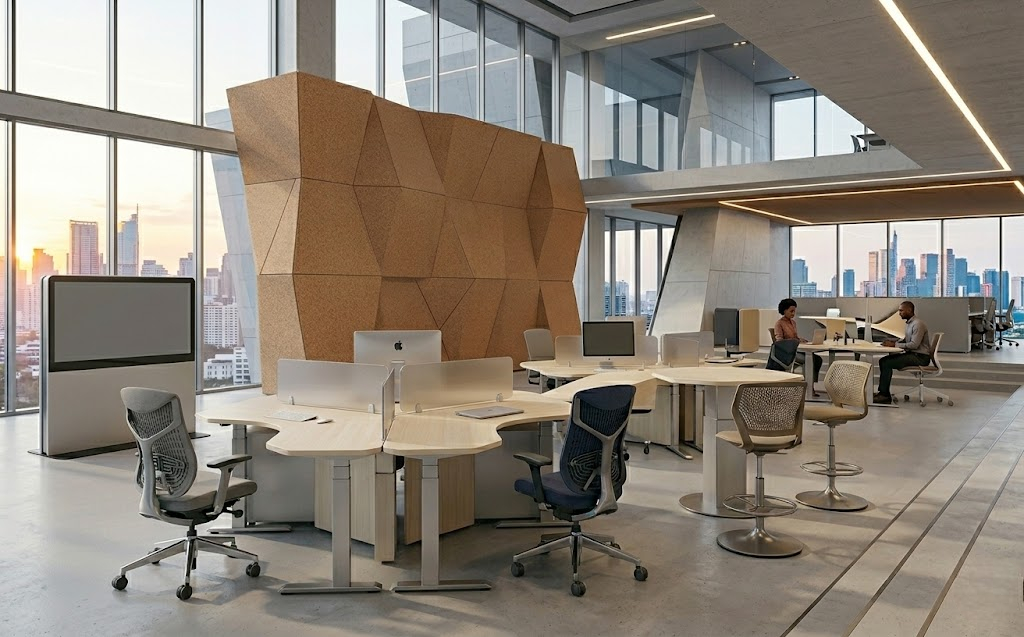
Upgrading your office furniture in Kigali, Rwanda doesn’t need to be overwhelming. Start small by replacing the chairs in high-traffic areas or departments that require long desk hours. Test out a few models with your team to see what works best.

When choosing ergonomic chairs, look for features that offer flexibility and comfort:

  • Adjustable seat height and back support
  • Good lower back (lumbar) support
  • Breathable, cushioned material
  • Sturdy armrests and mobility for easy movement
If your team works hybrid or remotely, consider supporting them with furniture tips or small home office upgrades.
The best chair is only helpful if people know how to use it well. Sharing quick adjustment guides or offering setup help can make a big difference. Every team is diverse, and be mindful that what works for one might not work for another, so be open to flexible solutions.

5 Signs Your Team Might Need Better Chairs

  • People often stand up to stretch or move around to ease discomfort
  • Frequent complaints about back, neck, or shoulder pain
  • Teams feel tired or drained by mid-day
  • Workspace chairs look worn out or lack adjustability
  • Productivity or morale seems lower despite other efforts

At Shoppersstop Rwanda, we work with businesses that want to create spaces where people feel at ease, not just seated. From reliable seating options to helpful guidance on setup, we’re here when you’re ready to take that step.

To Sum Up

An ergonomic chair supports focus, comfort, and better work. If your team spends hours at their desks, investing in how they sit is a smart place to start. Sometimes, the best way to show you value your people is by helping them feel at ease, every single day. Your office can benefit from this quiet upgrade, so upgrade it today.